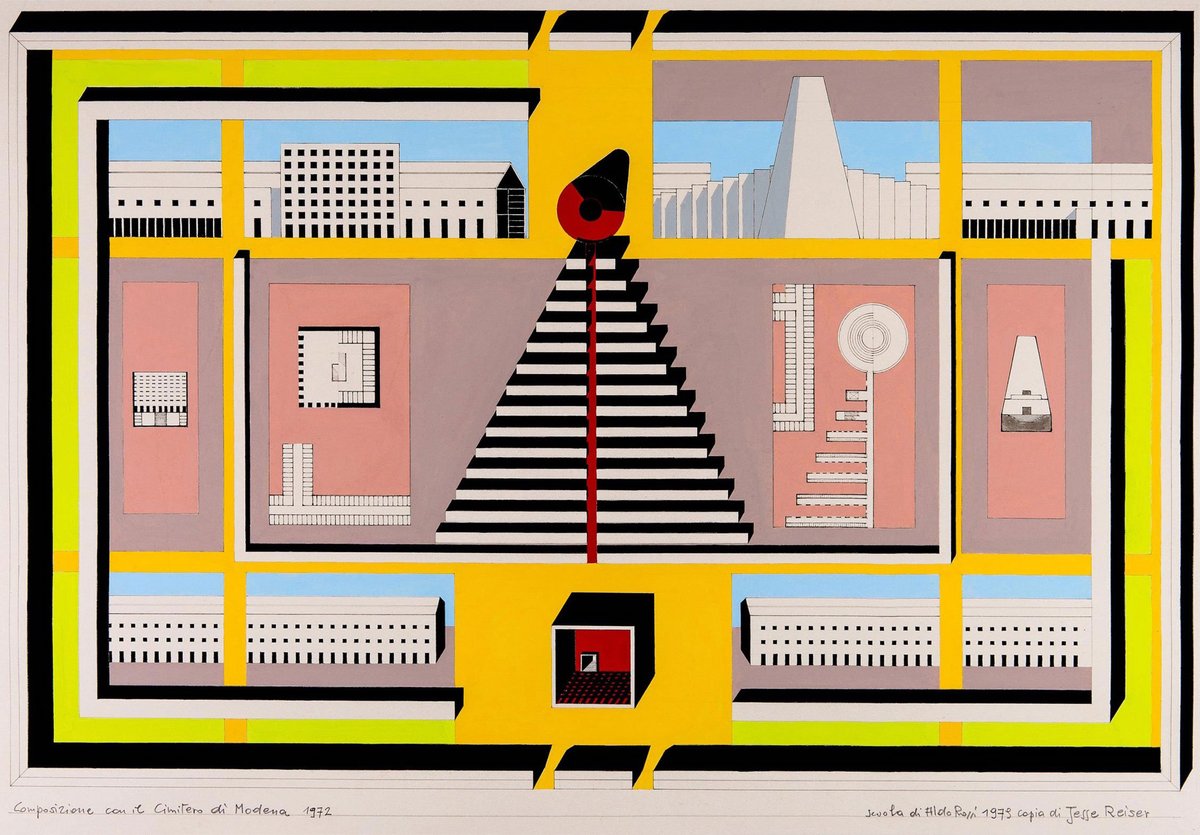
(Aldo Rossi, Design Drawing for the San Cataldo Cemetery, 1970s)
In this final module, I encourage you to go back and refer to the previous chapters of of Architecture: Form, Space and Order.
- What concepts are the most important to you as a designer?
- What concepts are clear in your project work?
- What might you add or take away to make your final project thoughtful, interesting and well executed?
M1- Form and Space Module Resources mass & volume, positive & negative space, subtractive & additive forms, regular & irregular forms, and transformation of form
M2- Spatial Boundaries Module Resources horizontal and vertical elements, elevated plane, overhead plane, L-shaped planes, U- shaped planes, closure, openings, degree of enclosure, light, and view
M3- Order and Proportion Module Resources organizational strategies (centralized, linear, radial, clustered, or grid), spatial relationships, circulation elements, and ordering principles, human scale and visual scale
Architecture Form, Space, Order by Francis D. K. Ching (z-lib.org).pdf
I also suggest you consider what you learned about how to present architectural ideas. We have worked using analog or hand modeling and drawing as well as digital modeling. We have created elevations, top views, plans, sections and perspective sketches. We have learned about careful line work using templates and a more sketchy method of drawing.
Here is a link to Ching's resources on Architectural Graphics:
Creating 2D Orthographic Drawings-- M0-Ching_ArchGraphics_Chapter3_ArchDrawingSystems.pdf
Creating 3D Perspectival Drawings-- M2-Ching_ArchGraphics_Chapter6_PerspectiveDrawings-1.pdf
Creating 3D Plan Oblique Drawings--M2-Ching_ArchGraphics_Chapter5_ParalineDrawings.pdf
Here is a quick primer on line weights for each type of drawing:
Elevations:
- Widest Line- (Micron pen size: .1 or .08) Use this line size to outline the "ground" or "base"
- Next Widest Line- (Micron pen size: .08) Use this line size to define objects that are closest to the projection plane
- Medium Line- (Micron pen size: .05 or .03) Use this line size to define objects that are midway from the projection plane
- Thin Line- (Micron pen size: .005) Use this line size to define objects that are the furthest away from the projection plane
- Dashed Thin Line- (Micron pen size .005) Use this line size and type to define objects that are hidden behind geometry. (Note: if the geometry is very complex, you may need to omit some of the dashed lines for clarity and only dash large volumes hidden beyond)
Top View:
- Widest Line- (Micron pen size: .08) Use this line size to outline objects that are closest to the picture plane (aka: "taller")
- Medium Line- (Micron pen size: .05 or .03) Use this line size to define objects that are midway from the projection plane
- Thin Line- (Micron pen size: .005) Use this line size to define objects that are the furthest away from the projection plane. This will likely include the "base" or "ground plane".
- Dashed Thin Line- (Micron pen size .005) Use this line size and type to define objects that are hidden behind geometry below. (Note: if the geometry is very complex, you may need to omit some of the dashed lines for clarity and only dash large volumes hidden beyond)
Plan View:
- Widest Line/Poche'- (Micron pen size: .1 or wider or poche'd in) Use this line size to outline the objects that are CUT by the picture plane. You must either poche' (color in) these objects or outline them in a width that makes it obvious that they are being cut through.
- Medium Line- (Micron pen size: .05) Use this line size to define objects that are taller than those on the ground, but are not cut through.
- Thin Line- (Micron pen size: .01 or .005) Use this line size to define objects that are further below the cut plane. This will likely include the "base" or "ground plane"
- Dashed Thin Line- (Micron pen size .005) Use this line size and type to define objects that are over head (NOT below).
Section View:
- Widest Line/Poche'- (Micron pen size: .1 or wider or poche'd in) Use this line size to outline the objects that are CUT by the picture plane. You must either poche' (color in) these objects or outline them in a width that makes it obvious that they are being cut through.
- Medium Line- (Micron pen size: .05 or .03) Use this line size to define objects that are beyond the cut plane, but are NOT cut through.
- Thin Line- (Micron pen size: .005) Use this line size to define objects that are further beyond the cut plane.
- Dashed Thin Line- (Micron pen size .005) Use this line size and type to define objects that are hidden beyond the cut plane, similar to an elevation.
Axonometric View and Perspective Views
- Widest Line/Poche'- (Micron pen size: .1 or wider) Use this line size to draw a "profile line" between your geometry and the space beyond. This means typically a line all around the object and in areas where the geometry meets the space beyond.
- Medium Line- (Micron pen size: .05 or .03) Use this line size to define lines where the geometry or plane continues around a corner. This will help define separate elements
- Thin Line- (Micron pen size: .005) Use this line size where you see multiple planes or sides at the same time.
- Dashed Thin Line- (Micron pen size .005) Use this line size and type to define objects that are hidden behind. (Note: if the geometry is very complex, you may need to omit some of the dashed lines for clarity and only dash large volumes hidden beyond. Or, you might omit this "transparency" altogether for clarity)